 SnapDosh
← Back to documentation
Turn Balance into Rewards
At SnapDosh, your effort in helping the community is worth money. See how our rewards catalog works and how you can redeem your prizes.
The Gift Card Catalog 💳
We work with major retailers to offer options that really make a difference in your daily life.
- Supermarkets: Coles, Woolworths, ALDI, etc.
- Services: Uber, Uber Eats, DoorDash.
- Retail: Amazon, Target, Big W, Kmart.
- Misc: Entertainment gift cards and much more.
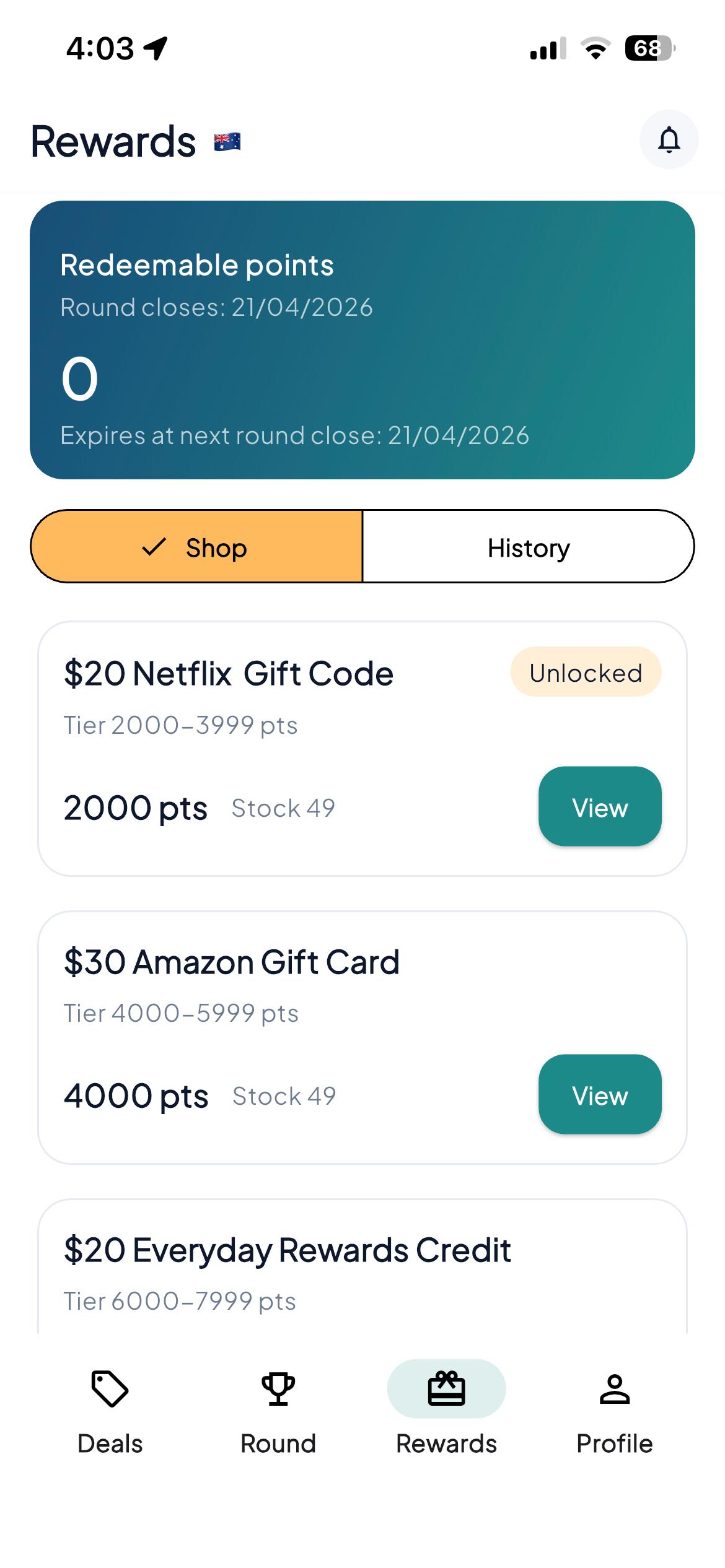
How to Redeem (Step-by-Step)
- Earn Gift Card Balance: Participate in rounds to generate gift card balance.
- Access the Rewards Tab: In the app's bottom menu, tap the gift icon.
- Choose Your Prize: Browse the catalog and see which Gift Cards are available for your current balance.
- Request Redemption: Click the redeem button. Your request will be sent to our moderation team.
- Receive Your Code: After approval (which usually takes little time), your Gift Card code will appear in your rewards history.
Important Rules 📌
- Available Balance: You use the gift card balance earned in the previous closed round.
- Validity: Remember that available gift card balance expires at the end of the following round if not used. Don't leave it until the last minute!
- Availability: Some prizes may have limited stock per round.
Questions? Go back to the overview or contact us.